Stats component
Now we'll get to creating some of the components that will render out various charts. We'll use a chart with a set of cards, each showing a primary metric and label.
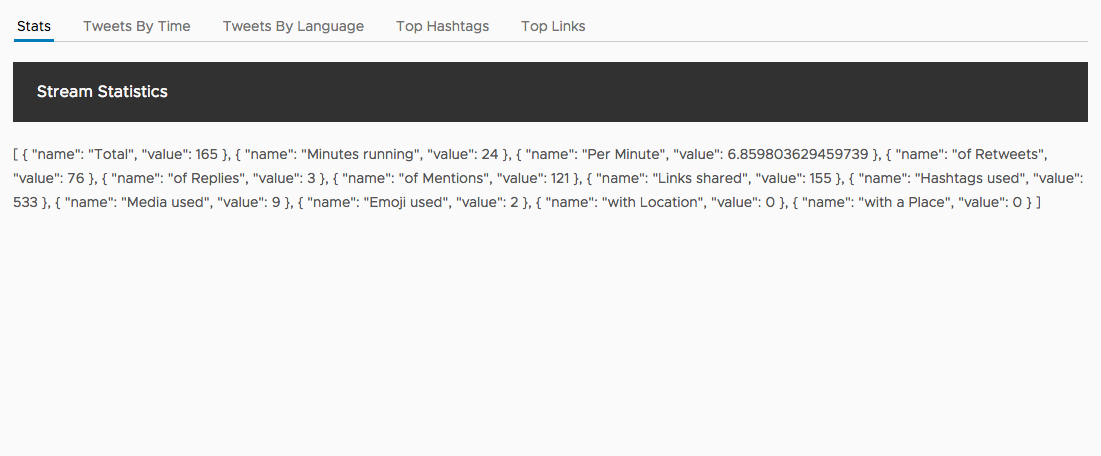
Right now our component looks like this as a tab with a title and raw data.
Generate the component
Using the CLI, we will generate a new component to handle the display of our stats
ng generate component stats
You'll now see a new directory in src/app/stats with the files for the new component, and it will already be registered with the application.
Setup input bindings
Just like our Tweets component, we will need to create an input binding so the data can be passed to the Stats component from the App component.
Open up the src/app/stats/stats.component.ts file and replace the contents with the following.
import { Component, Input } from '@angular/core';

@Component({
  selector: 'app-stats',
  templateUrl: './stats.component.html',
  styleUrls: ['./stats.component.css']
})
export class StatsComponent {
  @Input() stats;
}
Add template with chart
Now that data is able to be bound into the component, we need to display the chart. Here we'll add the NgxCharts Number Card chart into the component.
Open up src/app/stats/stats.component.html and replace its contents with the following.
<ngx-charts-number-card
  [scheme]="{domain: ['#24416E', '#C73142', '#3CA87C', '#524175', '#FAA22D']}"
  [results]="stats"
  [emptyColor]="'#fff'">
</ngx-charts-number-card>
These chart components consume the data in the results property, and the other properties are for how it should be styled.
Add CSS for chart display
For the chart to display properly, we need to make sure the Stats component itself is a block element. Custom elements don't necessarily get the proper CSS to make it a block element, and we'll also give it a specific height so the chart can autosize to the available space.
Open up src/app/stats/stats.component.css and add the following.
:host {
  height: 400px;
  display: block;
}
Update App component
Lastly, we want to add the component to our App component template in place of the current JSON object. Update the tab inside of the src/app/app.component.html file to use the new Stats component.
<clr-tab-content>
  <header class="header header-1 chart-header">
    <div class="branding"><span class="title">Stream Statistics</span></div>
  </header>
  <app-stats [stats]="aggregates?.stats" *ngIf="aggregates?.stats"></app-stats>
</clr-tab-content>
Once everything is saved, you should now see the stats component in the page.
